Reviewed by Editor & Fact-Check Team · Updated July 2026
- Friendly Fire, GhostApproval, HalluSquatting, and a fourth report on endpoint-security alerts describe four distinct ways AI coding agent autonomy can go wrong—none officially confirmed by vendors yet.
- Three of the four issues involve agents being tricked into harmful action; the fourth involves legitimate agent activity being mistaken for an attack—these need different fixes.
- Start restrictively: require manual approval for shell commands and package installs rather than leaving auto-run enabled.
- Verify any AI-suggested package against the official registry before installing it—hallucinated names are a real attack vector.
- Sandbox agent execution and monitor its actions so a mistake stays small and reviewable instead of catastrophic.
If you use Claude Code, Cursor, or GitHub Copilot’s agentic modes, you’ve probably noticed how much these tools can now do on their own. This AI coding agent security checklist exists because autonomy such as reading files, editing code, running shell commands, and installing packages has quietly become a real AI coding assistant attack surface, and most guides haven’t caught up.
In mid-2026, four separate reports surfaced describing different ways this autonomy can go wrong. None of them were framed as one connected problem, and no single resource pulled them together into something you could actually act on. That’s the gap this article fills.
You don’t need to be a security expert to follow along. This is written for beginners, students, and small-business IT teams who want a practical, plain-language way to use AI coding agents without handing them more trust than they’ve earned.
What happened? Four separate AI coding agent security stories, one underlying problem
Over a short span, four different reports described security problems tied to AI coding agents. They were published separately, used different names, and on the surface look like unrelated bugs:
- Friendly Fire — AI agents built specifically to catch malicious code were themselves tricked into running it.
- GhostApproval — a flaw involving symlinks (file shortcuts) reportedly let malicious repositories achieve code execution by slipping past approval prompts.
- HalluSquatting—AI coding assistants were reportedly tricked into installing malware-laced packages, tied to the assistant suggesting or accepting package names that don’t actually belong to a legitimate project.
- Endpoint-trigger findings—a report describing AI coding agents’ normal, non-malicious file and command activity setting off endpoint security (EDR) alerts built to catch human attackers.
Worth flagging: these are all currently reported through media coverage rather than confirmed vendor advisories. Details like affected products, versions, or whether any CVEs have been assigned are still unconfirmed at the time of writing.
Taken individually, these look like four unrelated stories. Taken together, they point to one underlying theme: AI coding agents that can act on your filesystem or run commands with reduced human oversight represent a new AI coding assistant attack surface — and right now, nobody has published a single, practical checklist for handling it. That’s what the rest of this article is for.
Why this matters if you use Claude Code, Cursor, or Copilot
Modern AI coding agents aren’t just autocomplete. Tools like Claude Code, Cursor, and Copilot’s agentic modes can read and write files and execute shell or terminal commands on your actual system. Many of them offer configurable AI coding agent permissions: you can let the agent auto-run commands or auto-install dependencies instead of confirming every single action yourself.
That convenience is exactly what creates risk. The more autonomy you grant an agent, the fewer chances a human has to catch something wrong before it happens. Each of the four 2026 reports maps to a different way that autonomy can be exploited or misfire:
- Friendly Fire shows that even agents meant to review or catch malicious code aren’t automatically trustworthy gatekeepers—they can be manipulated into running the very thing they’re supposed to block, a pattern related to prompt injection in AI coding agents.
- GhostApproval shows that approval prompts themselves—the safety mechanism many people rely on—may not be as solid as they look if symlink-based tricks can bypass them.
- HalluSquatting shows that when an agent recommends a package, that name isn’t guaranteed to be real or safe. Attackers can register the fake name an AI hallucinates and load it with malware.
- The endpoint-trigger findings show the opposite kind of failure: agent behavior can look enough like an attacker’s behavior that legitimate security tools sound the alarm on normal AI-assisted work.
Don’t collapse these into one root cause, though. Friendly Fire, Ghost Approval, and HalluSquatting are all about agents being tricked into doing something harmful—under-detection. The endpoint-trigger findings are about legitimate agent activity being mistaken for an attack—over-triggering. Both matter, but they call for different responses, and your checklist needs to account for both.
What do Friendly Fire, GhostApproval, HalluSquatting, and the Sophos findings actually mean?
Before jumping into the checklist, it helps to understand — in plain terms — what each of these four reports is actually describing. The technical specifics of each haven’t been independently confirmed at the time of writing, so treat what follows as conceptual summaries rather than exact technical breakdowns.
Friendly Fire: agents built to catch malicious code, tricked into running it
Some AI agents are specifically designed to act as a review layer — scanning code, flagging suspicious behavior, or acting as a second set of eyes before something runs. The Friendly Fire report describes these review-focused agents being manipulated into executing the malicious code they were supposed to catch.
The practical lesson: don’t assume a review agent is a foolproof safety net. If an AI system is making the call on whether code is safe, that decision still needs a human check behind it — especially before anything touches a production environment or sensitive system.
GhostApproval: symlink flaws bypassing approval prompts
A symlink (symbolic link) is essentially a shortcut that points to another file or folder instead of being the real thing itself. GhostApproval reportedly involves malicious repositories using symlink tricks to get code executed in a way that slips past the approval prompt a user would normally see and confirm.
In plain terms: the safety click you think you’re making — approving a specific file or action — may not always match what actually happens behind the scenes. The exact technical mechanism hasn’t been independently confirmed, but the concept alone is a good reason to be cautious about what repositories and files you let an agent interact with.
HalluSquatting: hallucinated package names used for malware
AI coding assistants sometimes suggest a package or dependency name that sounds right but doesn’t actually exist — a known issue often called “hallucination.” HalluSquatting describes attackers registering those exact hallucinated names on real package registries and filling them with malware so that when an agent (or a developer) installs the suggested package, they’re pulling in something malicious instead of a real library.
The specific malware family involved hasn’t been confirmed in the available reporting. But the underlying risk is straightforward: any package name an AI agent suggests is a guess, not a guarantee, until you verify it.
Sophos findings: AI coding agents triggering endpoint security rules
This report describes AI coding agents’ normal, legitimate activity—reading files, writing changes, and running commands—setting off endpoint security tools (EDR/antivirus-style software) that were originally built to detect human attackers.
Note: The reporting available doesn’t independently confirm Sophos as the named source behind this specific finding, so that attribution should be treated as unconfirmed until verified against the original material.
The takeaway here isn’t that agents are malicious — it’s that their behavior pattern (rapid file changes, command execution, script generation) can resemble attacker behavior closely enough to confuse security tools that weren’t designed with AI agents in mind. That’s a signal your monitoring setup may need tuning, not proof that the agent itself did something wrong.
The AI coding agent security checklist
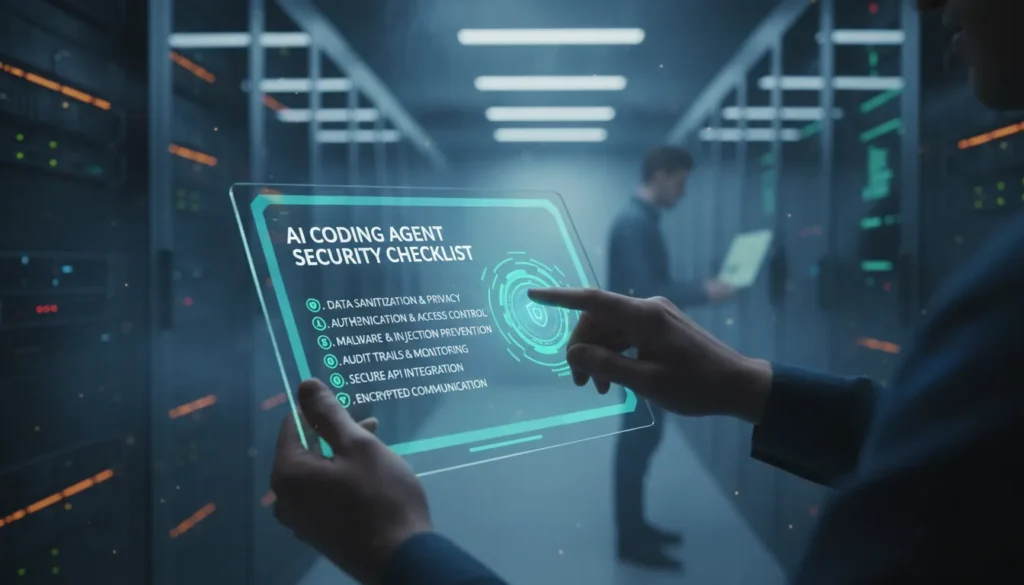
This is the core, practical part: a hands-on checklist you can apply today, whether you’re a student experimenting with Cursor or IT staff rolling out Copilot across a small team.
- Restrict autonomous file and command permissions. Don’t leave an agent’s broadest “auto-run everything” mode on by default. Start restrictive and loosen only where you have a clear reason to.
- Require manual approval for shell commands and dependency installs. Even if it slows you down slightly, a human glance before a command runs or a package installs is your best defense against Friendly Fire—and GhostApproval—style tricks.
- Verify package names against official registries before installation. Before accepting an AI-suggested dependency, check that it actually exists on the official registry (npm, PyPI, etc.); matches the expected maintainer; and has a real history—this directly counters HalluSquatting-style risks.
- Sandbox or isolate agent execution. Run agents inside containers, virtual machines, or restricted user accounts that don’t have access to your full filesystem or production credentials. If something goes wrong, the blast radius stays small.
- Review symlinks and file paths before granting write access. Be cautious with repositories that include symlinks pointing outside the expected project folder—this is directly relevant to the GhostApproval pattern.
- Monitor and log agent actions. Keep a record of what the agent did — files touched, commands run, packages installed — so you can review or roll back if something looks off.
- Keep agent tooling updated. Vendors patch issues as they’re discovered. Running outdated versions of Claude Code, Cursor, or Copilot means missing fixes for problems like these.
- Treat AI code suggestions as untrusted input. Every suggested file edit, command, or dependency should go through the same human review you’d give code from an unfamiliar contributor—not a trusted teammate.
How to configure permission boundaries in Claude Code, Cursor, and Copilot
Each of these tools offers some form of permission or approval control, but exact menu names, settings, and defaults change frequently as vendors update their products. Since this article’s research didn’t include a review of current vendor documentation, treat the following as general guidance to verify yourself before relying on it:
- Claude Code: Look for settings related to auto-run or auto-approval of file edits and terminal commands. Confirm in Anthropic’s current documentation whether specific actions (like installing packages) can be set to always require manual confirmation.
- Cursor: Check the tool’s agent or “auto mode” settings for options controlling whether file changes and terminal commands execute automatically or wait for your approval. Confirm current behavior against Cursor’s (Anysphere’s) official documentation, since agentic features have been evolving quickly.
- GitHub Copilot: In agentic modes, review workspace and extension settings for command execution and file-write permissions. Confirm current options against GitHub/Microsoft’s official Copilot documentation.
Across all three, the same principle applies: locate the setting that controls autonomous action, set it to the most restrictive option you can tolerate, and re-check it after every major tool update, since defaults can change.
Verification habits for ai coding assistant security
Settings alone won’t protect you — habits matter just as much. Before and during any AI-assisted coding session:
- Read diffs before accepting them. Don’t approve a batch of file changes without at least skimming what changed.
- Check dependency sources yourself. If the agent suggests a new package, take the extra minute to confirm it’s real and legitimate.
- Work in isolated or sandboxed environments when testing agent-suggested code, especially anything involving installs or shell commands.
- Avoid granting blanket filesystem or shell trust. Scope access to the specific project or folder you’re working in, not your entire system.
- Treat the agent like an untrusted intern with a keyboard. Helpful, fast, and often right — but not someone you’d hand full system access to without oversight.
This checklist won’t make these tools risk-free, but it gives you a concrete, repeatable way to reduce exposure: restrict autonomy by default, verify packages and file changes, sandbox execution, and keep a human in the loop. As Friendly Fire, GhostApproval, HalluSquatting, and the endpoint-trigger findings show, the risk isn’t hypothetical—it’s already being documented. The fix isn’t exotic either: it’s disciplined permission management and healthy skepticism, applied consistently every time you open an AI coding agent. For further study please vidit following:-
How to Build an AI-Assisted Vulnerability Scanner in 2026
From Frameworks to Action: How NIST’s COSAIS Will Protect AI Models
AI vs AI in Cybersecurity: Defenders and Attackers 2026
Frequently Asked Questions
What is an AI coding agent, and why can it act on my filesystem or shell without approving every step?
What do Friendly Fire, GhostApproval, HalluSquatting, and the endpoint-trigger findings actually mean for someone using these tools?
What permission or approval settings should I change before letting an agent run commands or install packages?
How do I verify AI-suggested code, dependencies, or file changes before they execute?
Is it safe for students and small-business IT teams to use AI coding agents, and what’s the minimum hardening checklist?
Sources: Friendly Fire report, GhostApproval report, HalluSquatting report. Attribution and technical details for these and the endpoint-trigger findings remain unconfirmed pending vendor advisories. Last updated July 2026.